Instructions
SETUP First, build the forest with however many Blinks you’d like, and in any shape you want. The larger the forest, the longer the game will take. The following are some examples of typical setups for 12, 18, and 24 Blinks.
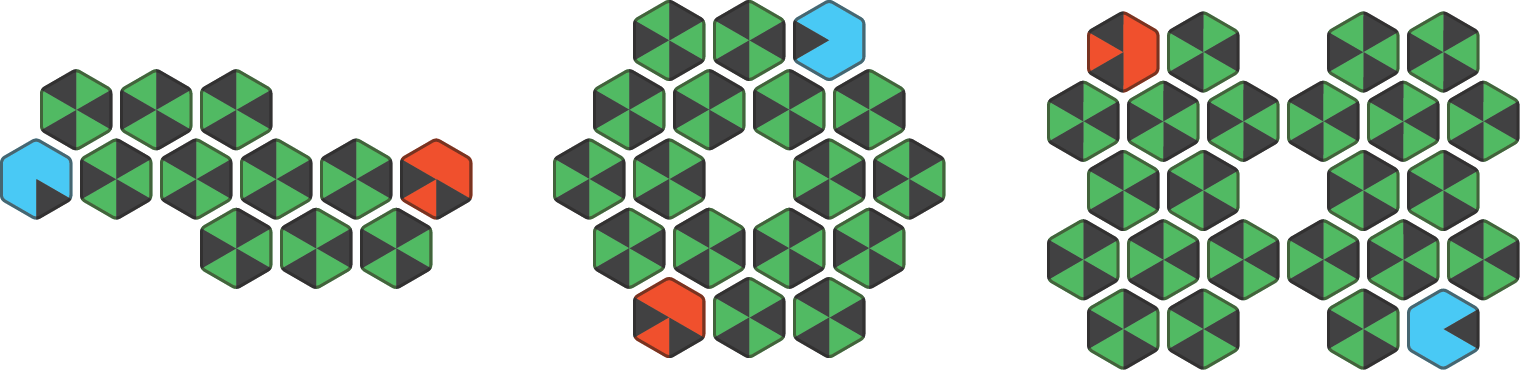
Examples setups for 12, 18, and 24 Blinks
Once you’re happy with your setup, click any Blink to plant your starting Trees. Single click a Tree to change its species. Each player should choose a different species of Tree and a unique starting position on opposite ends of the forest. There are four species of tree, each with a unique color and leaf pattern.
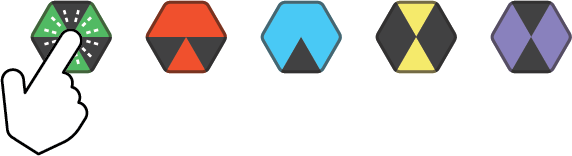
Single-click to cycle through Red Maple, Blue Spruce, Yellow Oak, and Violet Birch
Hexenwood is a very flexible game, and can be set up in many different ways. For instance, you can begin a game with each player having multiple starting Trees, or even with some players having more than others. This can be helpful for players with mismatched skill levels. After you plant your starting trees, double-click any Blink to start the game. When mapping is complete, the game begins.
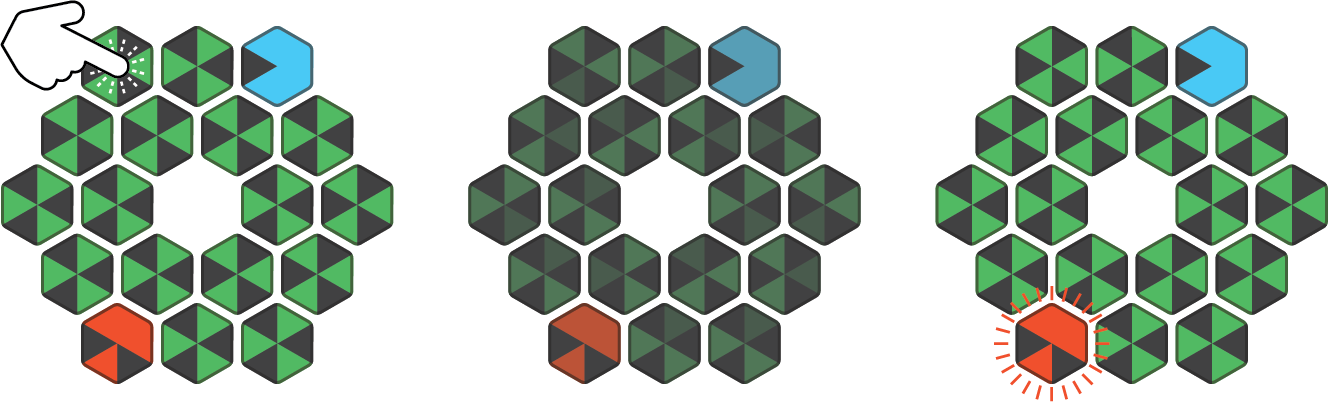
Double-click to begin mapping - the game automatically begins when mapping is complete.
GAMEPLAY Hexenwood is a turn-based game. The board will show which player’s turn it is by pulsing their Trees. If it is your turn, single-click one of your Trees to activate it. Only trees that can make valid moves can be activated.

Single-click to activate a Tree
When a Tree is activated, the board will display all of the moves it can make. There are two ways of moving: Spreading and Jumping. SPREADING Unclaimed positions adjacent to your Tree will be fully illuminated. If you click it, you will plant a Tree in that spot, and you will capture any neighboring Trees controlled by other players. This is the safest way to expand your territory.
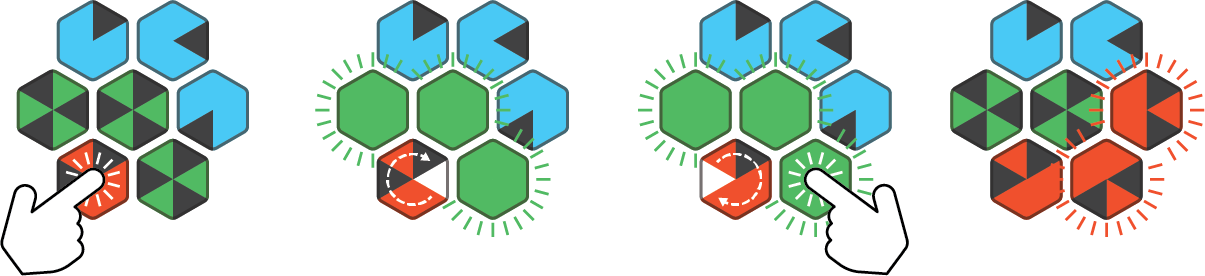
Click an adjacent position to perform a Spread
JUMPING Unclaimed positions that are one space away from your tree will show a bright pattern. If you click one of these Blinks, you can Jump to that spot. The Tree you jumped from will uproot itself and take over the new area, also capturing any neighboring Trees controlled by other players. This is a slightly risky way to expand because it leaves holes in your territory.
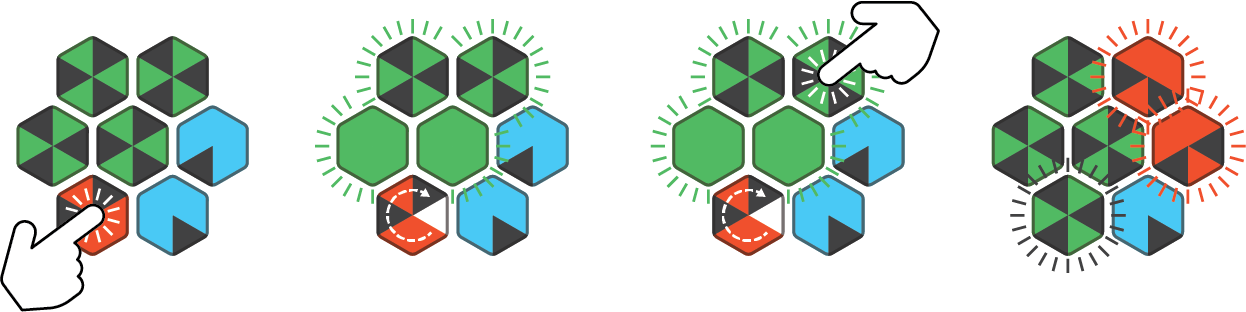
Click a distant position to perform Jump
Once you’ve made your move, the game will automatically move to the next player’s turn. If a player has no Trees that can make a valid move, their turn will be skipped and the game will move to the next player immediately. Importantly, you cannot rearrange the board during gameplay. If a Blink is removed from the field, the game will pause and the faces that are missing neighbors will flash. You must return them to their original positions to resume the game. If at any point during the game you wish to restart and go back to setup, triple-click any Blink.
Win Conditions
When no players can make a valid move, or if there is only one player remaining with Trees in the forest, the game ends. The entire forest will flash white, then reveal the winning player. All Trees controlled by the winning player will flash rapidly, and all other Blinks will revert to an empty forest floor. Double click any Blink to return to setup mode.
More Information
Hexenwood is part of the Sakura Strategy Pack.